
Delete your Rydsom account.
You're in control of your data. Here's exactly how to permanently delete your account, and what happens once you do.
Three steps to delete your account
Account deletion is handled by our support team so we can verify it's really you before anything is removed.
Contact our support team
Send a deletion request to hello@rydsom.com or call +265 999 000 000 from the phone number linked to your account.
Confirm it's really you
We’ll verify your identity to protect your account, usually with a quick confirmation code sent to your registered phone or email.
We delete your account
Once verified, we’ll close your account and permanently delete your personal data within 30 days, and send you a confirmation when it’s done.
Delete your account in the app
Prefer to do it yourself? The same steps work in both the Rydsom rider and driver apps.
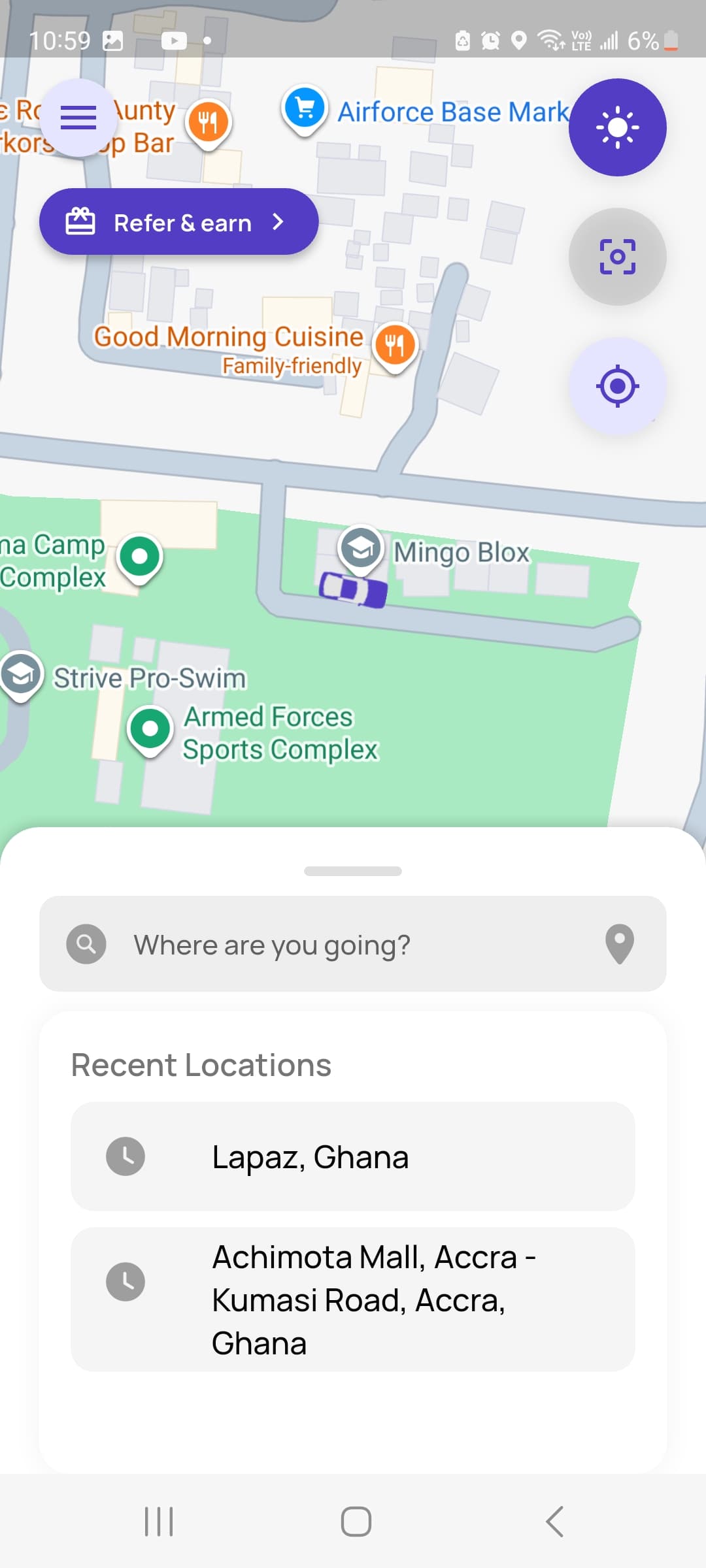
Open the menu
Tap the menu (hamburger) icon in the top-left corner of your screen.
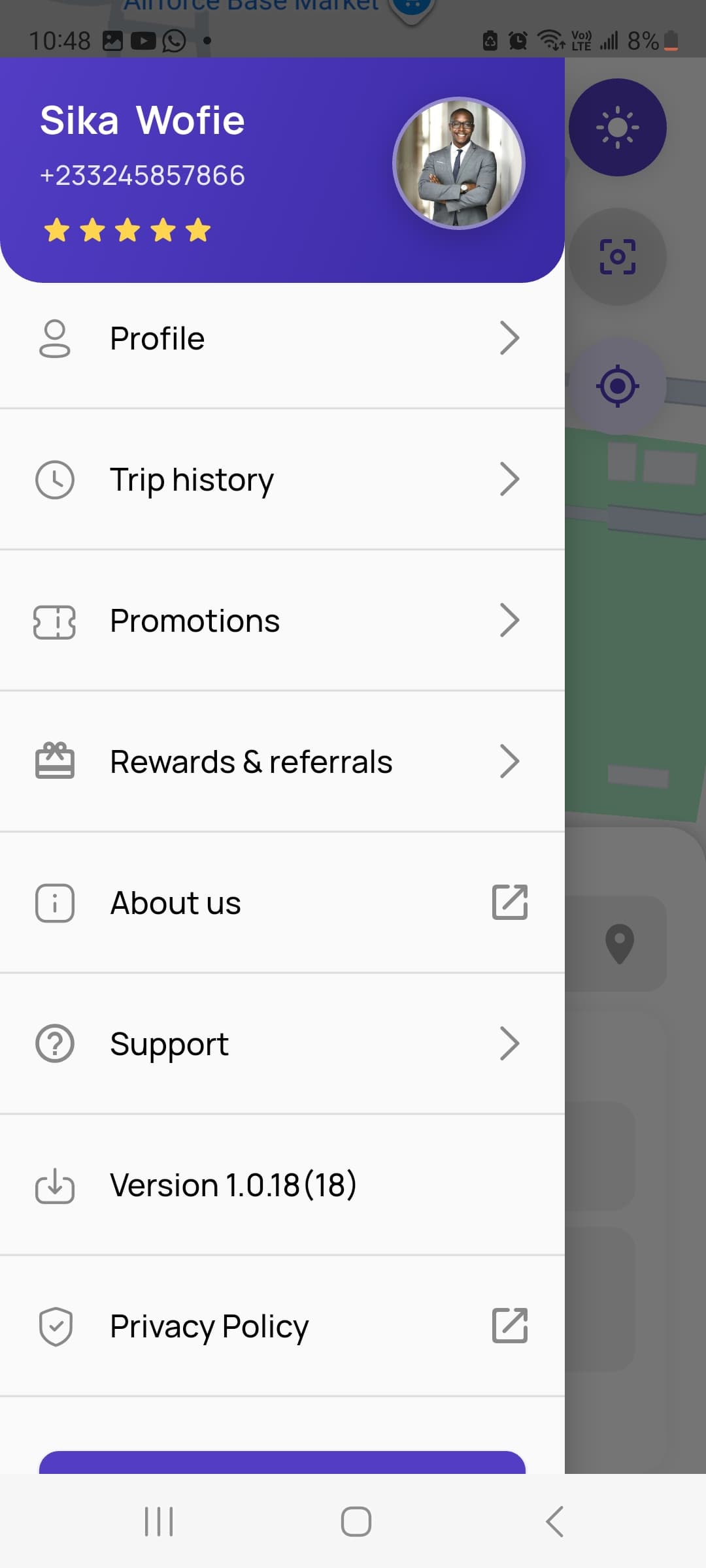
Go to Profile
From the menu, navigate to the “Profile” option.
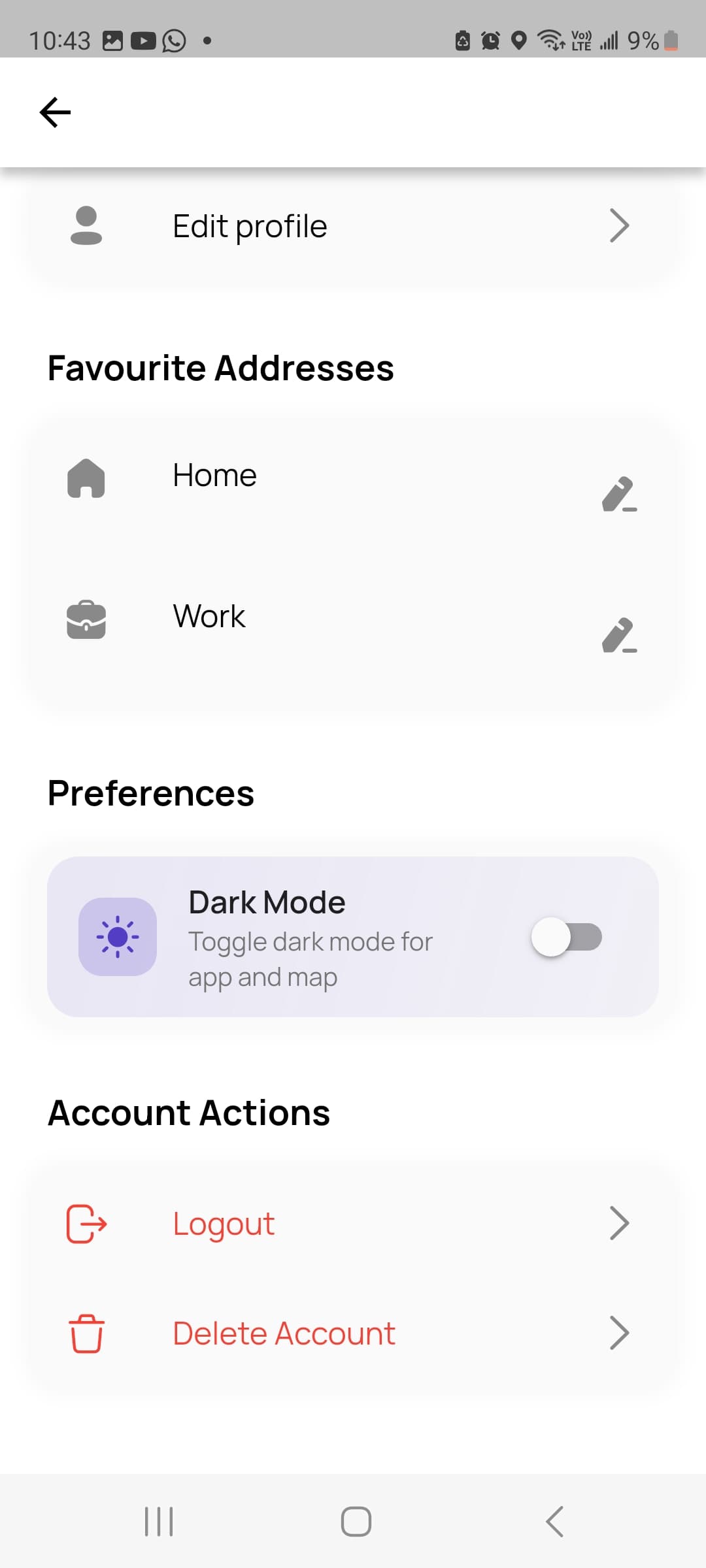
Delete Account
Scroll down to the “Delete Account” option and follow the prompt.
What we delete
- Your profile: name, phone number, email and photo
- Saved places, payment methods and ride preferences
- Ratings, reviews and in-app messages
- For drivers: licence, vehicle and document details
What we may keep
- Trip and payment records we must keep for legal, tax and safety reasons
- Information needed to resolve an open dispute or safety report
- Anonymised data that can no longer identify you
Deleting your account is permanent and can’t be undone. You’ll need to create a new account to ride or drive with Rydsom again. For more on how we handle your information, see our Privacy Policy.
Contact support to close your account.
Reach out from the phone number or email on your account and our team will verify your request and handle the deletion for you.